CreateUpon generates your course in the language you choose, then translates the whole course into another language in a few steps. Each translation is a complete copy of the course, so quizzes, interactive activities, and table-of-contents titles all come across.

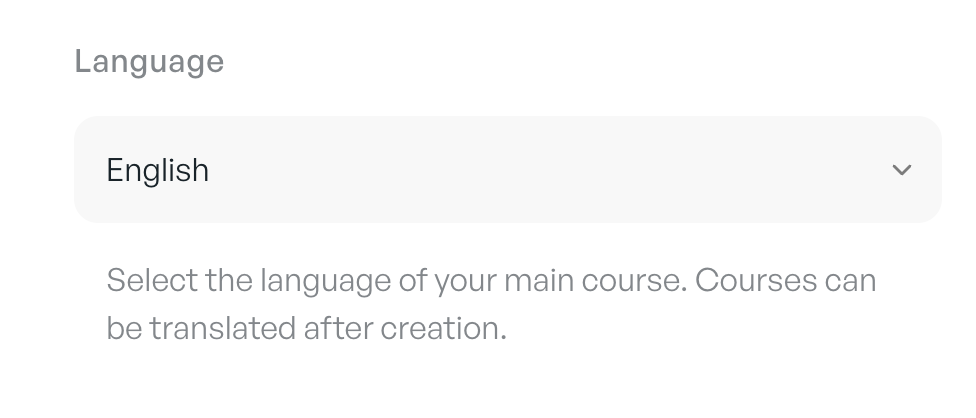
Choose the language for your main course when you create it. This becomes the source version that you translate from.
• select a language while creating your course
• if you leave the language as Detect language automatically, CreateUpon picks the best language from your input sources (select a language manually to be sure)
• you can also set a style, for example British English or Simplified English
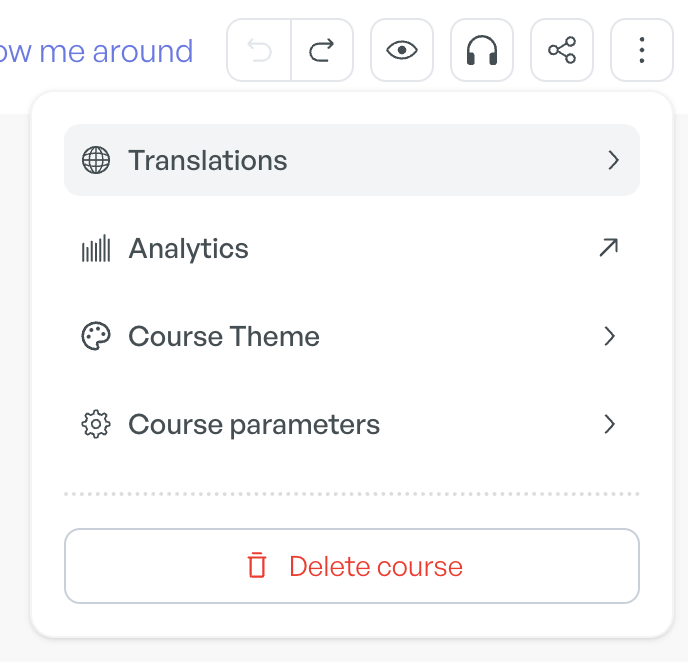
1. Open the three-dot menu in the top-right corner of the editor.
2. Select Translations.
3. Under Translate course to..., select a target language.
4. Select Translate.
A copy of your course is created in the target language and opens in the editor.
Translation covers the whole course, not just the slide text. Quizzes, exams, and interactive activities (sorting, matching, ranking, fill in the blank, open answer, image markers, flip cards, and carousels) are translated while keeping their questions, answer options, answer explanations, scoring, and positions intact. Card titles in your table of contents are translated too.
Each translated course is a separate, independent course. You can move between them from the Translations menu:
• Translated from links back to the source course when you are viewing a translation
• Available translations lists every translated version of the course, so you can open each one
Because each version is independent, editing one language does not change the others. Translating a course that is already a translation creates a copy of that version.
You can translate a course into more than 100 languages, including three English styles: American English, British English, and Simplified English.
Canadian French (Français canadien), European Portuguese (Português europeu), and Brazilian Portuguese (Português brasileiro) appear as options in the translation picker, so you can select them directly instead of typing them in. European Portuguese and Brazilian Portuguese are separate options, so you can pick the variant you need.
Built-in interface labels (buttons and slide-type labels such as Key Takeaway, Quiz, and Rank) automatically match each learner's browser language, so your course reads end to end in the learner's own language.
The learner interface is available in 40 languages:
Arabic | Bulgarian | Cantonese |
Chinese (Simplified) | Chinese (Traditional) | Croatian |
Czech | Danish | Dutch |
English | Estonian | Finnish |
French | Georgian | German |
Greek | Hungarian | Indonesian |
Irish | Italian | Japanese |
Kazakh | Korean | Latvian |
Lithuanian | Norwegian | Polish |
Portuguese | Punjabi | Romanian |
Russian | Serbian (Latin script) | Slovak |
Slovenian | Spanish | Swedish |
Thai | Turkish | Ukrainian |
Vietnamese |
Audio course voiceover (AI or manual)
Add an AI or manually recorded voiceover to your course.
Duplicating a course
Make a copy of a course.
